
Published on October 20, 2026 · 10 min read
Types of Orders in Trading: When Each One Fills and What It Risks
Market, limit, stop, stop-limit, OCO, bracket and trailing stop orders worked on NQ, plus day and GTC: when each one fills, what it can cost you and the three order mistakes beginners make.
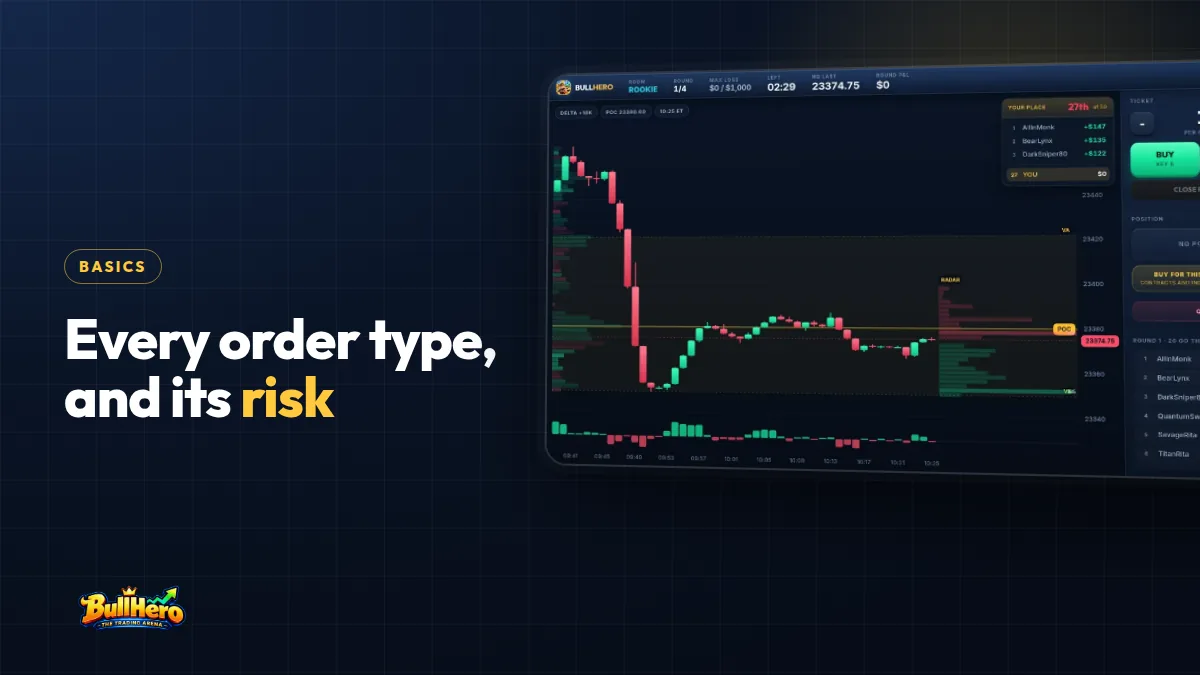
The main types of orders in trading are market, limit, stop (or stop market), stop-limit, OCO and bracket, and trailing stop, each combined with a time in force such as day or GTC. Every type trades one guarantee for one risk: a market order guarantees the fill but not the price, while a limit order guarantees the price but not the fill. Below, each type worked on an NQ futures contract, a comparison table and three classic mistakes.
In short
- A market order fills now: you buy at the ask and sell at the bid, so you pay the spread.
- A limit order fixes your price but may never fill, even if price touches your level.
- A stop becomes a market order when triggered and can slip; a stop-limit can fail to fill at all.
- Use a bracket (entry, stop and target linked) so protection exists from the moment you are filled.
Bid, ask and spread: what every order type depends on
At any moment there are two prices, not one. The bid is the best price a buyer is waiting to pay. The ask (or offer) is the best price a seller is waiting to accept. The gap between them is the spread.
Say NQ shows a bid of 21,700.00 and an ask of 21,700.25. The spread is one tick, 0.25 points, which is 5 dollars per contract. If you buy with a market order you pay 21,700.25. If you then sold straight away, you would get 21,700.00. You are 5 dollars down per contract before commission, without the price having moved at all.
Size matters too. If you want 10 contracts and only 4 are offered at the best ask, the other 6 fill at the next price levels up. That is called walking the book. On a liquid contract during the open it rarely matters for a few contracts, but it is why big orders and thin markets cost more. For the contract details behind these numbers, see the guide to the Nasdaq NQ future in numbers.
Market, limit and stop orders explained
Market order
Fills: immediately, at the best price available. Risk: slippage, a fill worse than the price you saw.
In calm conditions, a market buy on NQ fills at the ask. In a fast market, around a data release at 8:30 New York time for instance, the ask can jump several ticks between your click and the fill. If you click with the ask showing 21,700.25 and get filled at 21,702.00, that is 7 ticks of slippage, 35 dollars per contract. A market order is the right choice when getting in or out matters more than the exact price, such as closing a position that has gone wrong.
Limit order
Fills: only at your price or better. A buy limit sits below the market, a sell limit above it. Risk: no fill.
With NQ at 21,700.00, you place a buy limit at 21,690.00. If price drops to exactly 21,690.00 and bounces, you may not be filled. On most futures markets, orders at the same price fill in the order they arrived, and the buyers who were there before you get the contracts first. If price then rallies 30 points without you, the limit order protected your price and cost you the trade. As a rule of thumb, a limit is reliably filled when price trades through it, not when it merely touches it.
Stop order (stop market)
Fills: when price trades at your stop price, the order becomes a market order. A sell stop sits below the market, a buy stop above it. Risk: slippage, sometimes large.
It is the standard protective stop, and also a way to enter breakouts. You are long from 21,700.25 with a sell stop at 21,680.00. A fast drop triggers it and the fill comes at 21,678.75: 5 ticks of slippage, 25 dollars per contract on top of the planned loss. Annoying, but you are out. That is the point of a stop. Some exchanges and brokers add price protection to stop orders, which changes how they behave in extreme moves, so check how yours handles them.
Stop-limit, OCO, bracket and trailing stop orders
Stop-limit order
A stop price that triggers the order, plus a limit price beyond which it will not fill. It removes slippage beyond your limit and replaces it with a worse risk: no fill. Example: long NQ, sell stop at 21,680.00 with a limit at 21,678.00. If price jumps from 21,681.00 to 21,675.00 in one move, the order is triggered but cannot fill. You are still long and losing. A stop-limit can make sense for entries; as a protective stop it is a trap for beginners.
OCO (one cancels the other)
Two orders linked so that when one fills, the other is cancelled. Classic use: NQ is ranging between 21,680 and 21,720 before a release. You place a buy stop at 21,720.25 and a sell stop at 21,679.75 as an OCO pair. Whichever breaks first gets you in, and the other order disappears, so you cannot end up with two positions.
Bracket order
An entry with a stop and a target attached, where the stop and target form an OCO pair. Example: buy limit at 21,690.00, stop at 21,680.00 (10 points, 200 dollars per contract) and target at 21,710.00 (20 points, 400 dollars). Until the entry fills, nothing else is live. Once it fills, both exits activate; when one fills, the other is cancelled. For a beginner this is the single most useful order type, because protection exists from the first second. Read where to place a stop loss before deciding where that attached stop goes.
Trailing stop
A stop that follows price at a fixed distance in your favour and never moves back. Long NQ at 21,700.25 with a 10-point trail: when price reaches 21,730.00, the stop is at 21,720.00. If price then falls, the stop stays at 21,720.00 and triggers there, filling at the next available price. The risks: a trail tighter than normal noise shakes you out of good trades, and many platforms manage trailing stops on their own servers or on your computer rather than at the exchange. If yours is managed on your computer, it may stop working when your connection drops.
Time in force: day, GTC and the rest
Every order also has a lifespan, called time in force:
- Day: expires at the end of the trading session. For futures, check when your broker's session ends: it is not always the stock market close.
- GTC (good till cancelled): stays live until it fills or you cancel it. Brokers may set a maximum duration, and futures orders also end when the contract expires.
- IOC and FOK: immediate or cancel fills what it can at once and cancels the rest; fill or kill fills everything at once or nothing.
The danger with GTC is memory. A buy limit at 21,500.00 placed last week and forgotten will fill on today's news spike, leaving you long in a falling market with no stop attached. Beginners should default to day orders and use GTC only with a written list of what is live.
Order types compared
| Order | Fills when | Guarantees | Main risk |
|---|---|---|---|
| Market | Immediately | The fill | Slippage, paying the spread |
| Limit | At your price or better | The price | No fill, missed trade |
| Stop (market) | Price trades at the stop | Exit once triggered | Slippage in fast moves |
| Stop-limit | Triggered and within the limit | No fill beyond the limit | No fill, position stays open |
| OCO / bracket | First leg to trigger | Only one exit fills | Platform handling, partial fills |
| Trailing stop | Price retraces by the trail | Stop moves only in your favour | Shaken out; may be held by the platform |
Which order type should a beginner use?
A simple, defensible default for intraday futures:
- Entry: a limit at your level if you want a pullback, a stop just beyond the level if you want a breakout, a market order only if you accept paying for immediacy.
- Protection: a stop market, attached as a bracket so it is live the moment you are filled.
- Target: a limit at the next real level, linked to the stop as OCO.
- Time in force: day, unless you have a written reason for GTC.
Then practise until the mechanics are automatic. A trading simulator worth your time must make you buy at the ask and sell at the bid; one that fills you at the last price hides the spread and teaches you that market orders are free.
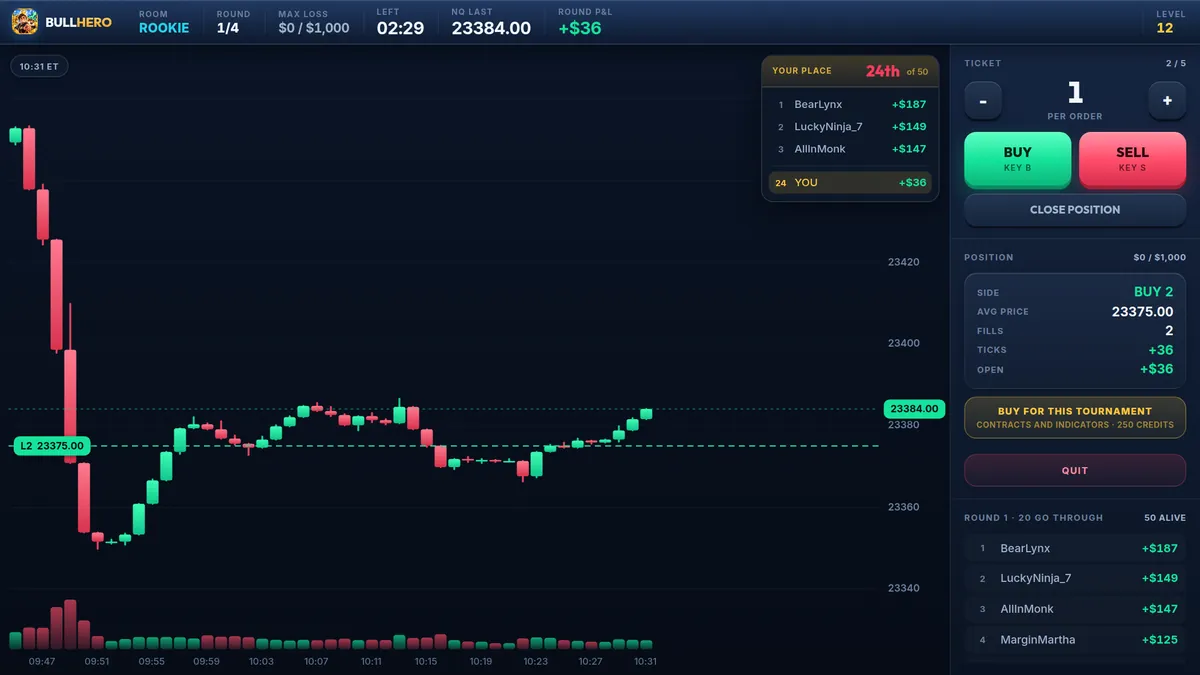
Feel what a market order costs before it costs real money. In BullHero each click fills at the ask or the bid, with spread and commission, and recalculates your average price like a DOM. Count how many ticks the spread takes from you in one round.
Try the ticket3 order mistakes beginners make
- Market orders at the worst moments. In the first seconds after the open or during a data release, a market order can slip several ticks. Seven ticks on 3 NQ contracts is 105 dollars before the trade has started. For a scalper aiming at a few ticks, that is the whole edge, which is why the maths of scalping is so unforgiving.
- A stop placed after the fill, or a stop-limit as protection. Placing the stop manually after entering leaves seconds with no protection, and that is when slips happen. A stop-limit can be skipped entirely in a fast move. Use a bracket with a stop market.
- Confusing buy stop and buy limit. With NQ at 21,700.00, you want to buy a breakout at 21,720.00. A buy limit at 21,720.00 is already marketable and fills at once, near 21,700.25, so you are long before the breakout you were waiting for. The correct order is a buy stop at 21,720.00. The reverse mistake, a buy stop below the market, is usually rejected or fills immediately, depending on the platform.
Frequently asked questions
Is a market order or a limit order better for beginners?
Neither is better in general. Use limits to enter at a planned level and to take profit, and market orders when you must get out now. What matters is knowing the trade-off: a limit can miss the trade, a market order can slip. Always attach a stop market to protect the position, whichever order you entered with.
What happens to a stop order when the market gaps?
A stop market order triggers at the first price traded at or beyond your stop and fills at the next available price, which can be far from your stop after a gap. On futures this can happen at the weekly reopen or after a major release. A stop-limit might not fill at all in the same situation.
Can a limit order fill at a better price than I set?
Yes. A buy limit fills at your price or lower, and a sell limit at your price or higher. If you place a buy limit above the current ask, it is marketable and fills straight away at the best available price, which is often a mistake rather than a bargain.
BullHero is a game that uses play money and prices from a mathematical model; it is not a broker and sends no orders to any real market. This article is educational and is not financial advice.
Sources
- SEC, Investor Bulletin: Understanding Order Types, 2017
- SEC, Investor Bulletin: Stop, Stop-Limit, and Trailing Stop Orders, 2017
- CME Group, Micro E-mini Nasdaq-100 Futures: Contract Specifications, 2019
More articles
False breakouts: how to spot a fakeout early and trade it
Price pokes above the level, your stop fills, then it turns. Why that happens, how to read a fakeout in the first candles, how to trade the failed breakout and how to stop being the liquidity.
Price action trading: read the chart before the indicators do
Swing points, higher highs and higher lows, ranges, key levels and rejection candles, then three classic setups with entry, stop and target in points, how volume confirms them and how to train your eye.
How to write a trading plan you will actually follow at 9:45 a.m.
The six sections every plan needs, a complete one-page example for an intraday NQ and MNQ trader, how to test it before real money and how many trades it takes before a rule deserves to change.